[0.9.8-beta] - 2026-01-27
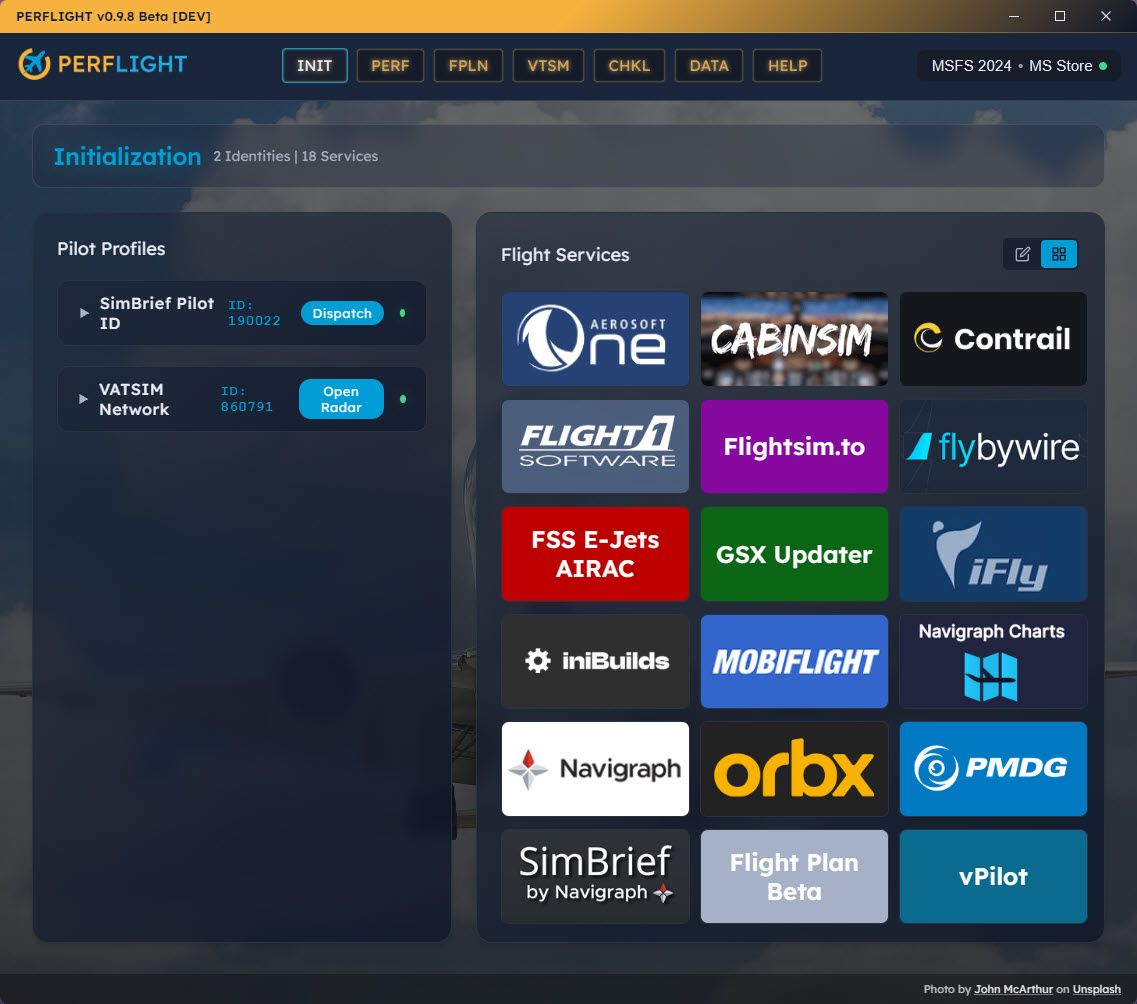
Another one of the final steps towards v1.0! In order to implement the final launch feature “Checklists” we needed to support URL buttons as well as EXE. So we took the time to clean up and polish the Flight Service Grid, allowing more extensive customization of your custom buttons. We also increased the Services panel to 60% width. We also took another pass at improving the simulator auto-detection and completely removed version detect, as it seemed unnecessary. I think we all know when a new version is available. Lastly, we make some tweaks to “Folder watcher” to cause less alerts on files that have not truly changed. The focus is Adding or Removing addons, not “touching” a config file only. Also you can “Show Disabled Only” for revealing the addons you may have forgotten!
Changed
Initialization Page Layout - Widened Flight Services panel from 50/50 to 40/60 split
Pilot Profiles column narrowed (content is compact by nature)
Flight Services grid gets more horizontal space for service buttons
Updated PMDG button logo and improved VATSIM/Simbrief log imports
Simulator Detection Simplified - Removed PowerShell-based version detection from launch flow
Simulator type and platform now derived entirely from the Community folder path
Eliminates slow PowerShell
Get-AppxPackagecall that caused startup delays and visible console popupsRemoved "Checking Simulator Version" step from progress stepper (now 3 steps instead of 4)
Removed "Latest Version" from the status popover (was based on unreliable forum scraping)
Renamed "Last Checked" to "Last Verified" in status popover to reflect path verification
Launch modal backdrop darkened to properly obscure content behind it
Added
Web URL Support for Custom Services - Add web-based services alongside local executables
New "Web URL" option in the custom service form via segmented control toggle
URLs open in default browser using Tauri's opener plugin
Backend validation ensures URLs start with
http://orhttps://URL services display a globe icon in the configured services list view
Custom Button Appearance - Personalize custom service button colors and labels
Native color picker for choosing a button accent color (falls back to hash-derived color)
Optional short label field (max 20 characters) displayed on grid buttons
Grid buttons now show full service name with auto-sizing text instead of 4-character abbreviations
Color dot indicator shown in the configured services list view
Custom Installer Branding - NSIS installer now displays custom PERFLIGHT artwork
Sidebar image on welcome and finish pages replaces default Windows blue panel
Header image on intermediate installer pages
Show Disabled Only Filter - New display option in Library Manager settings menu
Filter to show only disabled addons (complements existing "Show Enabled Only")
Mutually exclusive with "Show Enabled Only" - selecting one deselects the other
Both filters can be turned off to show all addons
"Show Missing" toggle remains independent and can be used with either filter
Filter preference persists across sessions via localStorage
Fixed
Simulator Type Misidentification - MSFS 2024 Store users no longer incorrectly shown as "MSFS 2020 - Steam"
Root cause: PowerShell query
Get-AppxPackage -Name *FlightSimulator*did not match MSFS 2024's package name (Microsoft.Limitless)When the query returned wrong or no results, the saved platform/type was overwritten with incorrect values
Fix: all detection now uses path-based matching which correctly identifies all four variants (2024 Store, 2024 Steam, 2020 Store, 2020 Steam)
Steam MSFS Community Folder Auto-Detection - Steam installations now detected automatically
Previously only detected MS Store paths in
%LOCALAPPDATA%\Packages\Now also detects Steam paths in
%APPDATA%\Microsoft Flight Simulator 2024\and%APPDATA%\Microsoft Flight Simulator\Correctly identifies platform as "MSFS 2024 - Steam" or "MSFS 2020 - Steam"
File Watcher False Positives - Reduced spurious "Library changes detected" notifications
No longer triggers when opening JSON files for viewing (not editing)
No longer triggers when starting MSFS or ending flights
Now only notifies on actual addon changes: folder added/removed, or manifest.json/aircraft.cfg content modified
Uses content hash comparison to distinguish real edits from file access events
Broken Profile Logos in Production Build - VATSIM and SimBrief logos now display correctly
Images used hardcoded
/src/assets/...paths which only work in Vite dev serverReplaced with proper ES module imports so assets are bundled correctly for production