Changelog

Follow new updates and improvements to PERFLIGHT.

February 14th, 2026

Finally! The Checklist feature is ready for departure. This is truly the main reason for this app, and all the other neat features were added early on to finally enable an actual pre-simulator checklist process. Highly flexible, tied to your service apps (and websites) so you never forget a critical step. Also includes our first taste of a “Smart Action” which will help ensure you have activated addons for your flight, or assisting in finding new ones!

Added

  • Pre-Flight Checklist (Epic 10) - Customizable step-by-step preflight workflow

    • Six step types: Sync Flight Plan, Launch Service, Open URL, Manual Reminder, Activate Addons, Launch Simulator

    • Steps execute their action when checked (SimBrief sync, app launch, addon activation, etc.)

    • Builder mode with drag-and-drop reordering, add/remove steps, and type-specific config pickers

    • Smart sub-actions: flight plan-aware addon prompts for aircraft, departure, and arrival airports

    • One-click addon activation from smart sub-actions with active/inactive/missing status

    • Provider-specific marketplace search (Flightsim.to, iniBuilds, Contrail) for missing addons

    • Flight plan staleness detection with 24-hour threshold and refresh prompt

    • Launch Simulator enforcement toggle to block launch until checklist is complete

    • Ready indicator with progress counter on the Launch Simulator step

    • Per-step loading spinner, success flash, and error feedback with retry

    • "Include smart items" and "Allow incomplete launch" settings persisted to database

  • Google Analytics Event Framework - Production telemetry for understanding app usage

    • Lightweight analytics service with pluggable GA4 backend via window.gtag

    • app_launched, page_view, and checklist-specific events

    • Graceful degradation: silently no-ops when GA4 unavailable

January 27th, 2026

Another one of the final steps towards v1.0! In order to implement the final launch feature “Checklists” we needed to support URL buttons as well as EXE. So we took the time to clean up and polish the Flight Service Grid, allowing more extensive customization of your custom buttons. We also increased the Services panel to 60% width. We also took another pass at improving the simulator auto-detection and completely removed version detect, as it seemed unnecessary. I think we all know when a new version is available. Lastly, we make some tweaks to “Folder watcher” to cause less alerts on files that have not truly changed. The focus is Adding or Removing addons, not “touching” a config file only. Also you can “Show Disabled Only” for revealing the addons you may have forgotten!

Changed

  • Initialization Page Layout - Widened Flight Services panel from 50/50 to 40/60 split

    • Pilot Profiles column narrowed (content is compact by nature)

    • Flight Services grid gets more horizontal space for service buttons

    • Updated PMDG button logo and improved VATSIM/Simbrief log imports

  • Simulator Detection Simplified - Removed PowerShell-based version detection from launch flow

    • Simulator type and platform now derived entirely from the Community folder path

    • Eliminates slow PowerShell Get-AppxPackage call that caused startup delays and visible console popups

    • Removed "Checking Simulator Version" step from progress stepper (now 3 steps instead of 4)

    • Removed "Latest Version" from the status popover (was based on unreliable forum scraping)

    • Renamed "Last Checked" to "Last Verified" in status popover to reflect path verification

    • Launch modal backdrop darkened to properly obscure content behind it

Added

  • Web URL Support for Custom Services - Add web-based services alongside local executables

    • New "Web URL" option in the custom service form via segmented control toggle

    • URLs open in default browser using Tauri's opener plugin

    • Backend validation ensures URLs start with http:// or https://

    • URL services display a globe icon in the configured services list view

  • Custom Button Appearance - Personalize custom service button colors and labels

    • Native color picker for choosing a button accent color (falls back to hash-derived color)

    • Optional short label field (max 20 characters) displayed on grid buttons

    • Grid buttons now show full service name with auto-sizing text instead of 4-character abbreviations

    • Color dot indicator shown in the configured services list view

  • Custom Installer Branding - NSIS installer now displays custom PERFLIGHT artwork

    • Sidebar image on welcome and finish pages replaces default Windows blue panel

    • Header image on intermediate installer pages

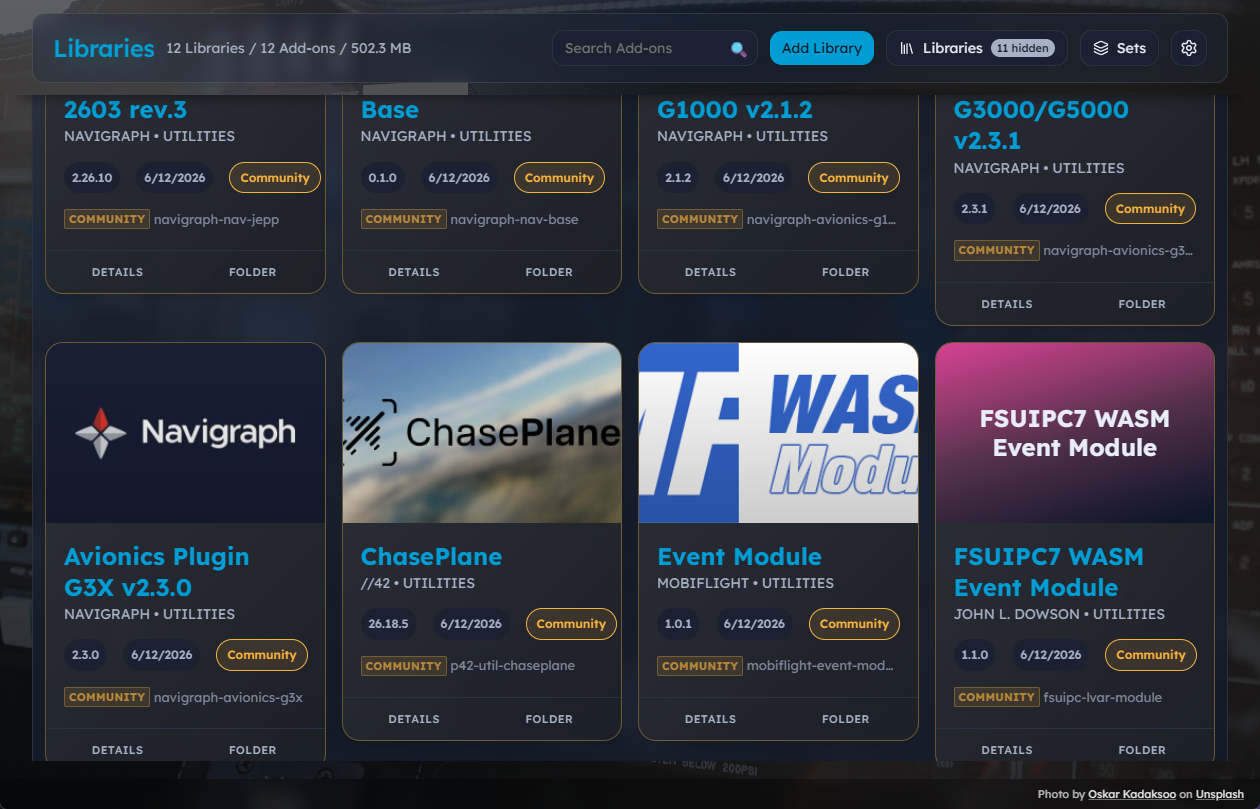
  • Show Disabled Only Filter - New display option in Library Manager settings menu

    • Filter to show only disabled addons (complements existing "Show Enabled Only")

    • Mutually exclusive with "Show Enabled Only" - selecting one deselects the other

    • Both filters can be turned off to show all addons

    • "Show Missing" toggle remains independent and can be used with either filter

    • Filter preference persists across sessions via localStorage

Fixed

  • Simulator Type Misidentification - MSFS 2024 Store users no longer incorrectly shown as "MSFS 2020 - Steam"

    • Root cause: PowerShell query Get-AppxPackage -Name *FlightSimulator* did not match MSFS 2024's package name (Microsoft.Limitless)

    • When the query returned wrong or no results, the saved platform/type was overwritten with incorrect values

    • Fix: all detection now uses path-based matching which correctly identifies all four variants (2024 Store, 2024 Steam, 2020 Store, 2020 Steam)

  • Steam MSFS Community Folder Auto-Detection - Steam installations now detected automatically

    • Previously only detected MS Store paths in %LOCALAPPDATA%\Packages\

    • Now also detects Steam paths in %APPDATA%\Microsoft Flight Simulator 2024\ and %APPDATA%\Microsoft Flight Simulator\

    • Correctly identifies platform as "MSFS 2024 - Steam" or "MSFS 2020 - Steam"

  • File Watcher False Positives - Reduced spurious "Library changes detected" notifications

    • No longer triggers when opening JSON files for viewing (not editing)

    • No longer triggers when starting MSFS or ending flights

    • Now only notifies on actual addon changes: folder added/removed, or manifest.json/aircraft.cfg content modified

    • Uses content hash comparison to distinguish real edits from file access events

  • Broken Profile Logos in Production Build - VATSIM and SimBrief logos now display correctly

    • Images used hardcoded /src/assets/... paths which only work in Vite dev server

    • Replaced with proper ES module imports so assets are bundled correctly for production

January 5th, 2026

This release contains three more small changes relating to simulator path detection and custom install paths (with more to come)

Added

  • MSFS 2024 Steam Support - Proper detection for Steam version of Flight Simulator 2024

    • Detects MSFS 2024 Steam installation in steamapps\common\Limitless folder

    • Correctly identifies as "MSFS 2024 - Steam" instead of incorrectly showing "MSFS 2020 - Steam"

    • Frontend now recognizes Steam app ID 2537590 as MSFS 2024

  • Re-detect Simulator Button - "Locate Again" button added to Data Management page

    • Allows users to re-run simulator detection without clearing all data

    • Useful for fixing incorrect detection or after reinstalling simulator

Fixed

  • MSFS 2024 Custom Install Path Detection - Community folder now detected for non-default installations

    • Previously only searched for Microsoft.FlightSimulator package folders (MSFS 2020)

    • Now also searches for Microsoft.Limitless package folders (MSFS 2024)

    • Correctly reads UserCfg.opt to find custom Community folder paths on other drives

December 18th, 2025

This release is mostly focused on squashing bugs with advanced addon management (junction paths, false positives, similar folder names, missing addons, etc). We did tweak three small things in the UI, listed below.

Changed

  • Data Management UI Cleanup - Hidden "Show Data File Location" button (developer-focused feature)

  • Blank Addon Hero Image - If the user "removes" the default image, it will remain that way when restored

  • Create New Set from Addon Picker - Initial addon now pre-populates when creating a set from addon context menu

    • Clicking "Create New Set" from an addon's Sets picker now shows the addon in "In This Set (1 addon)"

    • Fixed: was searching by name instead of fetching by ID, causing addon lookup to fail

    • Picker now hides automatically when Create Set modal opens

Fixed

  • Junction Link Path Handling - Addons now persist enabled state correctly across app restarts

    • Scanner no longer sets link_path incorrectly when scanning junctions (e.g., Aerosoft One addons)

    • Reconciliation now constructs correct junction path from community_path + folder_name

    • Self-healing: corrupted link_path values (equal to install_path) auto-corrected on rescan

    • Drift detection now checks junction at correct Community folder location

    • Fixed "already exists" junction handling to update link_path correctly

    • Prevents adding MSFS Community folder (or subfolders) as a library

    • Library validation errors now display in modal only (not duplicate inline banner)

  • Bulk Operation Notifications - Enable/Disable All now uses global notification system

    • Replaced ProgressToast bubble with global notification bar per architecture spec

    • Shows "X addons activated" or "Y addons deactivated" after bulk operations complete

  • False-Positive Soft-Delete on Rescan - Scanner no longer marks all addons as missing when scan fails

    • Previously, if a rescan failed to find any addons (e.g., folder temporarily inaccessible), ALL existing addons in that library would be incorrectly marked as "Missing"

    • Now checks if library folder actually has subdirectories before soft-deleting

    • If folder has subdirectories but scan found 0 addons, skips soft-delete (scan failure)

    • If folder is truly empty, proceeds with soft-delete (user deleted all addons)

    • Added safety warning log messages when protection activates

  • Set Member Soft-Delete Cascade Bug - Deleting addon folders no longer causes mass addon loss

    • Previously, deleting an addon folder that was a member of a set caused FK constraint errors on rescan

    • This caused ALL addons in the library to be incorrectly marked as "Missing"

    • Now properly deletes set_membership entries when addons are soft-deleted

    • Soft-delete only runs if the database save succeeded (prevents cascading failures)

    • Shows notification when previously-deleted addons are restored: "X addons restored, please check for missing set memberships"

  • Restored Addons Junction Detection - Reinstalled addons now correctly detect existing junctions

    • Previously, addons restored from soft-delete were forced to inactive status even if a junction existed

    • Now runs junction reconciliation on restored addons to detect if junction still exists in Community folder

    • Restored addons show active status if junction is present, inactive otherwise

    • Fixes issue where reinstalled addons showed wrong status after uninstall/reinstall cycle

  • Addon Library Move Detection - Addons moved between libraries no longer get incorrectly soft-deleted

    • Previously, if an addon with the same folder name moved from one library to another (e.g., LIVERIES to AIRCRAFT), it would be restored in the new library but then soft-deleted when the old library was scanned

    • Now updates detected_from_library_id when an addon is found in a different library than originally detected

    • Prevents addon from being marked "missing" when it simply moved to a different library folder

December 16th, 2025

Added

  • Flight Services Grid Mode - Quick launch panel for configured services

    • Toggle between Edit and Grid modes via icon buttons in Flight Services header

    • Grid mode displays service icons in a responsive grid

    • Mode preference persists across sessions via localStorage

    • Edit mode remains available for adding/removing services

  • Centralized Test Fixtures - Salesforce Fixtures.cls pattern for test data

    • AddonBuilder - Fluent API for creating test Addon instances with all 40+ fields

    • LibraryBuilder - Fluent API for creating test Library instances

    • Fixtures factory methods - Quick helpers like minimal_addon(), simulator_status()

    • Single source of truth for test data - future model changes only update one file

Fixed

  • Set Activation/Deactivation Bug — Sets now properly enable/disable addons

    • Previously, activating or deactivating a set only updated the database enabled field

    • Now correctly creates/removes filesystem junctions in the MSFS Community folder

    • MSFS only discovers addons via Community folder junctions, not database state

    • This fix ensures set toggles actually affect which addons MSFS loads at startup

Changed

  • Set Toggle Result Reporting — Detailed success/failure feedback for set operations

    • activate_set and deactivate_set now return SetToggleResult with counts

    • Reports total_addons, succeeded, failed, and per-addon error details

    • Frontend logs results for debugging and displays errors when they occur

Technical

  • Refactored database layer: activate_set() and deactivate_set() now return addon IDs to process

  • Command layer now calls execute_addon_toggle() for each addon to perform filesystem operations

  • Added SetToggleResult and SetToggleError types in both Rust and TypeScript

  • Updated setStore.ts to handle new return types and log operation results

  • Test Infrastructure Refactoring - Migrated 8 backend test files to use centralized fixtures

    • basic_database_validation.rs, database_tests.rs, command_unit_tests.rs

    • sets_tests.rs, basic_model_test.rs, import_parser_tests.rs

    • cross_layer_integration_tests.rs - All using AddonBuilder/LibraryBuilder

    • Removed ~400 lines of duplicate inline struct creation code

Documentation

  • Added "MSFS Domain Knowledge (Critical)" section to docs/architecture/coding-standards.md

  • Added "Test Layer Separation (Critical for Backend)" guidance to coding standards

  • Expanded Section 5.6 in docs/architecture/architecture.md with detailed set activation flows

December 13th, 2025

Added

  • Import Button Always Visible (Story 8.9) - Manual path selection for non-default installations

    • Import button now always visible in WelcomeModal regardless of auto-detection

    • File selection step when Addon Linker not auto-detected at default path

    • Native file picker with INI file filter for manual path selection

    • Path validation before proceeding to import preview

    • Auto-detected flow unchanged (skips file selection step)

  • Import Completion Date Display - Track and show last import date

    • Shows "(Completed Friday, December 12th, 2025)" after successful import

    • Amber highlight only shown when detected AND not yet imported

    • Date persisted in import_history table, retrieved on app load

  • Dynamic Version Display - WelcomeModal shows actual app version

    • "What's new in v0.9.4" link with dynamic version from Tauri API

    • Fallback to "What's new in the latest version" if version unavailable

Fixed

  • Addon Linker INI validation now correctly identifies non-standard INI format

    • Previously checked for [Paths] and [Settings] sections which don't exist

    • Now validates presence of MyAddons_Path= or MSFSCommunity_Path= keys

Technical

  • New Tauri commands: check_addon_linker_detected, validate_addon_linker_ini

  • Updated get_addon_linker_preview and import_addon_linker_data to accept optional iniPath parameter

  • Extended useAddonLinkerDetection hook with lastImportDate field

  • New tests for file selection flow and completion date display

December 12th, 2025

Fixed

  • File watchers now properly initialize for newly imported libraries (e.g., via Addon Linker import)

    • Previously, libraries added after initial load were not watched for file changes

    • Now tracks watched library IDs instead of a simple boolean flag

Changed

  • Import Completion Modal (Story 8.8) - Unified import results display

    • Replaced global notification banner and separate unmatched modal with cohesive "Import Completed" modal

    • Three-step modal flow: Preview → Libraries Created → Import Completed

    • Expandable unmatched entries section with "Preview Libraries" styling

    • System error display with user-friendly messages and re-import guidance

    • Consistent styling with amber accent color throughout import wizard

Removed

  • UnmatchedEntriesModal.tsx component (functionality merged into Import Completed modal)

  • Global notification banner for import completion (replaced with modal)

Technical

  • New component: ImportCompletedModal.tsx with error state handling

  • Refactored ImportCompleteHandler.tsx to show modal instead of notification

  • Added addonsDiscovered to import-complete event payload

  • 25 new tests for Import Completed modal functionality


[0.9.2-beta] - 2025-12-11

Added

  • MSFS Addon Linker Import (Epic 8) - Seamless migration from MSFS Addon Linker

    • Auto-detection of MSFS Addon Linker installation

    • Import wizard with preview of libraries, presets, and geolocation data

    • Library folder import with duplicate detection and skip option

    • Geolocation data import (latitude, longitude, country, region) for Map View support

    • Preset-to-Set conversion preserving addon groupings

    • Junction state reconciliation to preserve enabled addon states

    • Post-scan processing with automatic geolocation and preset application

    • Toast notifications with "View Details" for unmatched entries

    • Import history tracking for re-import support

  • Welcome Modal on First Launch - Automatically shows on first run to introduce users to the app

    • Deferred display until after simulator detection modal closes

    • "Don't show on startup" checkbox persists preference to config

    • Accessible via PERFLIGHT logo click in header anytime

Changed

  • Default window size updated to 1200x900 for better initial experience

  • Window title now correctly shows version 0.9.2 Beta

Fixed

  • Welcome modal now properly waits for simulator detection modal to close before appearing

Technical

  • Database schema extended with geolocation columns (latitude, longitude, country, subregion, geo_region, geo_source)

  • New import_history table for tracking import runs

  • File parsers for INI (with UTF-8 BOM handling), MapData.bin, and .preset formats

  • Path normalization and component matching algorithms for reliable addon matching

  • Transaction handling with rollback on critical errors, continue on warnings

  • New Tauri commands: detect_addon_linker_installation, get_addon_linker_preview, import_addon_linker_data, apply_pending_geolocation, apply_pending_presets, reconcile_junction_states, set_first_run_completed

  • New frontend components: AddonLinkerImportModal, UnmatchedEntriesModal, ImportCompleteHandler

  • New hook: useAddonLinkerDetection with caching behavior

  • New service: importService.ts wrapping import Tauri commands

  • Separate dev/production data directories via tauri.conf.dev.json (identifier: com.sim.perflight.dev)

  • New npm script: npm run tauri:dev for development with isolated data

  • 100+ new tests (backend parsers, matching algorithms, frontend components)

December 5th, 2025

Added

  • Addon Sets & Stacks (Epic 7) - Modular addon collections for quick flight preparation

    • Create named sets of addons (e.g., "Seattle Scenery", "Airliner Avionics")

    • Activate/deactivate sets with single toggle to enable/disable grouped addons

    • Sets operate on union model - addons can belong to multiple sets

    • Deactivating a set only disables addons exclusive to that set

  • Drawer-based UI architecture - Cleaner header with separate controls

    • Libraries drawer with checkboxes for filtering (view-only, show/hide)

    • Sets drawer with toggle switches for activation (state change)

    • Mutual exclusivity - only one drawer open at a time

  • Set Editing Modal - Search-first design for efficient set building

    • 300ms debounced search across all libraries

    • Immediate add/remove operations (no save button for membership)

    • Delete confirmation dialog with set name and addon count

  • Contextual "Add to Set" - Quick set management from addon views

    • "Add to Set" button on addon cards and table rows

    • Popover showing all sets with membership checkmarks

    • Create new set directly from picker with addon pre-added

  • Backend set management commands

    • create_set, update_set, delete_set, get_all_sets, get_set_addons

    • add_addon_to_set, remove_addon_from_set, get_addon_sets

    • activate_set, deactivate_set with proper union calculation

    • search_addons for modal search functionality

Changed

  • Header redesign with Libraries and Sets drawer triggers

  • LibraryManager updated with drawer integration

  • AddonCard and AddonTable now include "Add to Set" actions

Technical

  • New Zustand store: setStore.ts for set state management

  • New service: setService.ts wrapping Tauri set commands

  • Database schema: sets and set_membership tables with CASCADE delete

  • 100+ new tests (22 AddToSetPicker, 21 EditSetModal, 38 backend sets tests)


[0.8.0] - 2025-09-16

Added

  • Pilot Identity Management (Epic 4)

    • SimBrief Pilot ID storage with API validation

    • VATSIM ID management with stats display (hours, rating, division)

    • 6-hour smart caching to prevent excessive API calls

  • Flight Services Hub (Epic 4)

    • Configure and launch 17+ external add-on tools

    • Auto-detection of installed services with intelligent path patterns

    • Custom service support with user-defined names and icons

    • Launch tracking with counts and timestamps

Technical

  • Extended Identity model with SimBrief and VATSIM fields

  • New tables: services, user_services

  • HTTP client with connection pooling for API calls

  • Secure executable launching with path validation


[0.7.0] - 2025-11-04

Added

  • Global Notification System (Epic 5)

    • Application-wide notification bar flush against TopBar

    • Error, warning, and info notification types with distinct styling

    • Sound integration (error, whoop, chime sounds)

    • Action button support (e.g., "Rescan" for library changes)

    • File watcher integration for library change detection

Technical

  • New Zustand store: notificationStore.ts (CANONICAL notification system)

  • GlobalNotificationBar component with slide animation

  • useWatcher hook for file system monitoring


[0.6.0] - Previous

Added

  • MSFS Launch System with Windows Store app support

  • Background system with Unsplash photography

  • Addon management infrastructure with SQLite backend

  • Library scanning and junction-based enable/disable

  • Modern UI stack (Tailwind CSS, Framer Motion, Lucide icons)


Pre-release History

Earlier versions focused on foundational architecture:

  • Epic 1: State management refactoring (Zustand consolidation)

  • Epic 2: Rust backend testing framework

  • Epic 3: Database schema improvements